
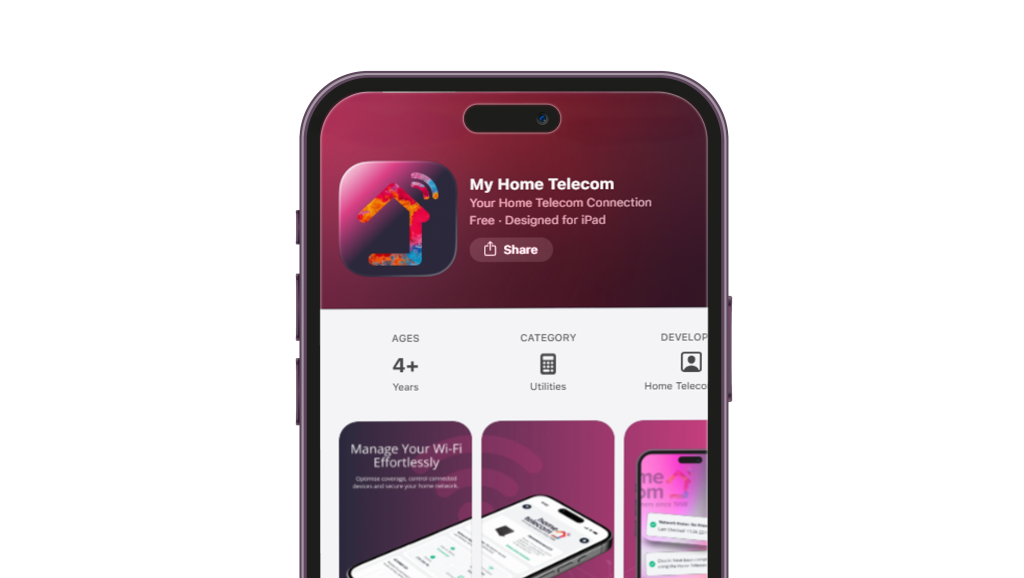
My Home Telecom App
– How to Set Up Your Router Using MyApp-
How to add your own router to the My Home Telecom App
If you’ve got a router from us, it should already be linked to your account. That means when you log into the My Home Telecom app, your router will connect automatically.
If it hasn’t connected, or you’re using a third-party router (eg: one from a previous provider), just follow the steps below to add it.
Getting started
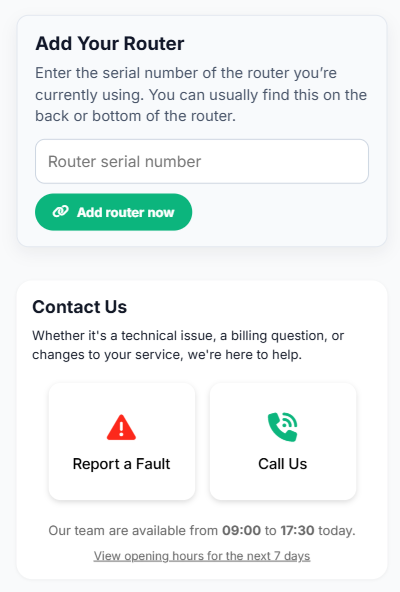
- When you first download the My Home Telecom app, you’ll need to register and complete your account setup. Once that’s done, you’ll see a screen like this:
- Enter your router’s serial number which you’ll find this on the back of your router. Make sure you use the serial number (not any other code).
- Then tap “Add Router Now.”
What happens next?
We’ll run a few quick checks in the background. When we can find your router, the app will automatically refresh and link it to your account and you’ll be ready to manage your connection.
If your router isn’t found automatically
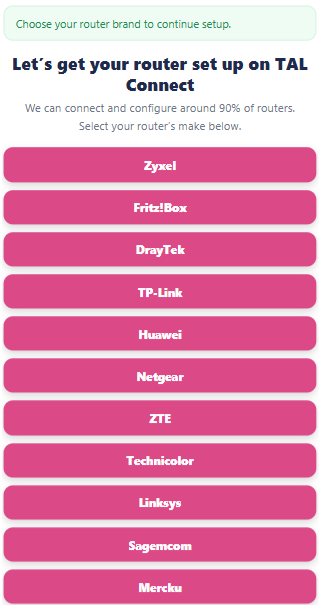
- This can sometimes happen, especially with routers not supplied by us. Don’t worry, you can set it up yourself now. You’ll see a list of common router brands, like this:
- Select your router brand (for example, Zyxel). If your router brand isn’t listed, please contact our support team, who can guide you through a tailored setup.
Setting up your router
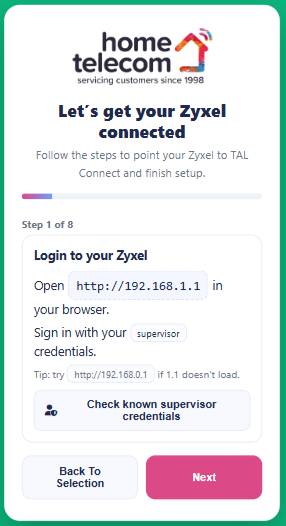
- Once you’ve selected your router, you’ll be shown step-by-step instructions. These usually include logging into your router via a web browser, for example:
- In some cases, we can automatically check your router’s default login details, if we can you’ll see a button “Check known supervisor credentials.” If we don’t have them, we’ll show you the standard default details provided by the manufacturer.
Final steps
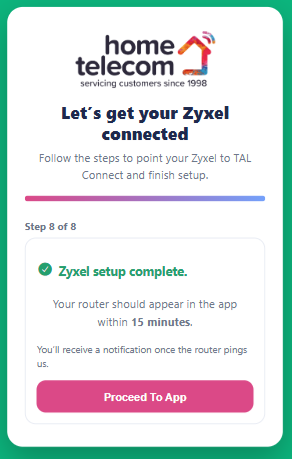
After completing all the steps, you’ll reach the final screen
- At this point, the app will take a few minutes (usually around 5 minutes) to confirm your router is connected.
- If everything’s working, the app will update and show your router.
- If not, we’ll prompt you to double-check the steps to try again.
Still having trouble?
our technical support team will be happy to help. You can use the "call us button" on the app during our office opening hours:
- 9am – 5.30pm Monday to Thursday
- 9am – 5pm Friday
- 9am – 1pm Saturdays
Or you will be prompted to raise a support ticket if our offices are closed and one of our team will get back to you as soon as possible. You can also contact us on 01403216134.